Cannabis Ingredients
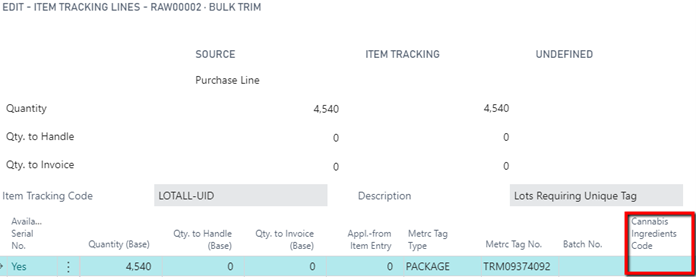
Within a Cannabis manufacturing environment, there is a need to list the ingredients that make up a Production Bill of Material for traceability and/or industry standards. The CBC module allows a user to create an Ingredients Code and Description that can then be attached to the Item Card, Lot No. Information Card or Item Tracking Lines throughout various pages and screens within the system.
How To: Change a Finished Good Item on a Released Production Order
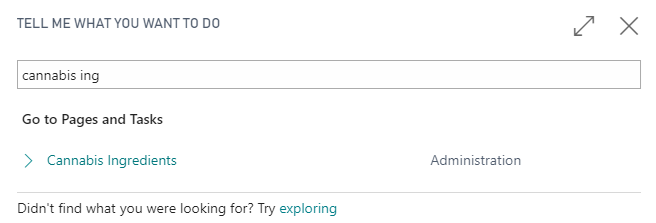
To navigate to Cannabis Ingredients, click the magnifying glass and enter Cannabis Ingredients into the search box.
| FIELD NAME | FUNCTION |
|---|---|
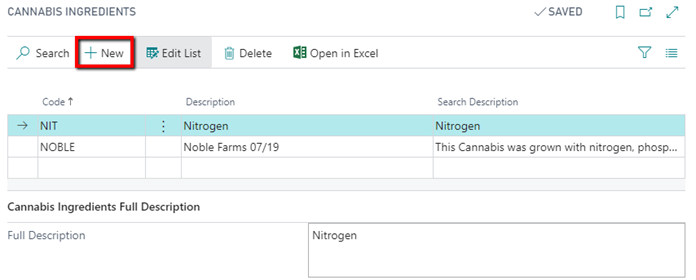
| Code | Code for the Cannabis Ingredient. |
| Description | Description of the Cannabis Ingredient. Text field. |
| Search Description | Search Description of the Cannabis Ingredient. Text field. |
| Full Description | The recipe or chemical composition and ingredients that make up the Item. |
To setup a new Cannabis Ingredient, click New and a new line will be inserted on the page.
Once the Cannabis Ingredient Code is completed, users can then go to the Lot No. Information Card and attach it to an Item’s Lot.
How To: Assign a Cannabis Ingredient Code to a Lot No. Information Card
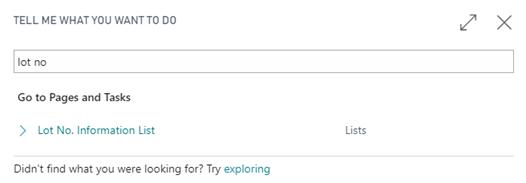
In the search box, enter Lot No. Information List and click the related link.
On the Lot No. Information List, select the appropriate Item Number hyperlink to open the Lot No. Information Card.

On the Lot No. Information Card, the Cannabis Ingredients Code can be selected on the Inventory FastTab.
Note
On the Cannabis Ingredients tab within the Lot No. Information Card, the field Cannabis Ingredients Code is editable to allow for attaching Ingredients to a Lot or Item after the Lot No. Information Card has been created.
Within a purchase, sale and journal within the CBC Module, the user can attach the Cannabis Ingredients Code via the Item Tracking Lines or shortcut Ctrl + Shift + I.