Harvest Batch Creation
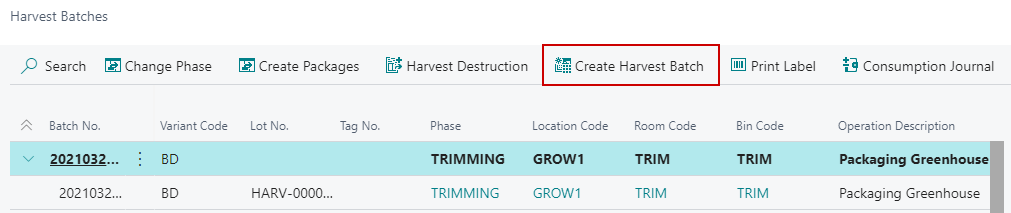
If you decided to output the Biomass Item rather than creating a Harvest Batch when changing Phases from a Plant to a Harvest Batch, you create the Harvest Batch for the Biomass Item** from the Harvest Batches screen.
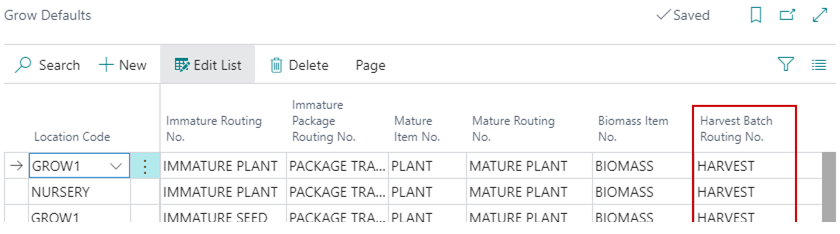
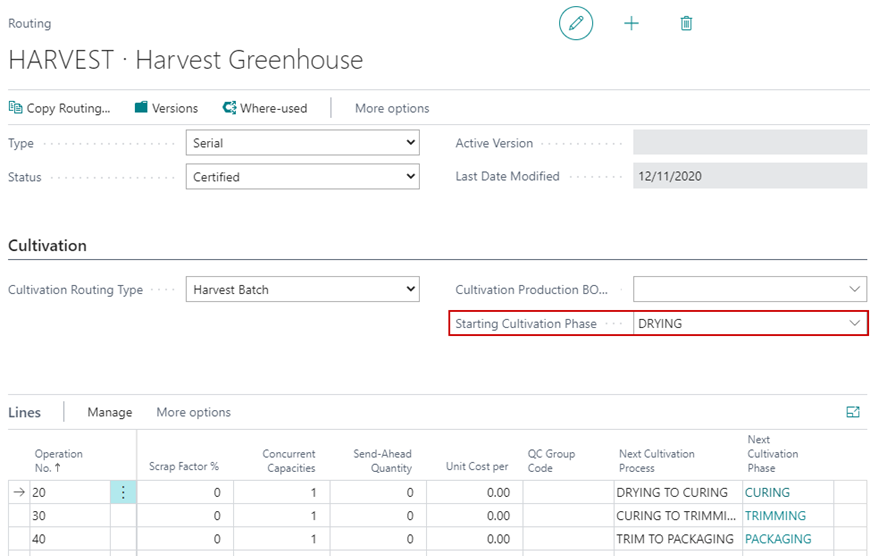
Once the Harvest Batch is created, it will use the Harvest Batch Routing No. specified on the Grow Defaults page to determine the Harvest Phases:
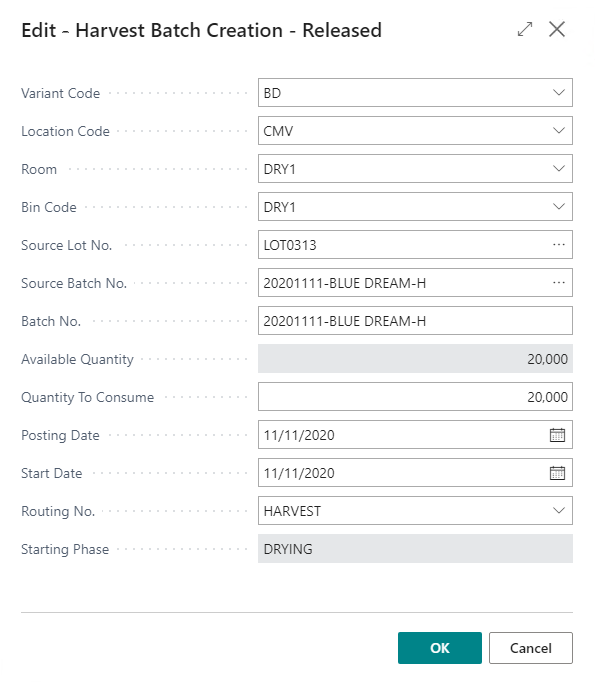
| FIELD NAME | FUNCTION |
|---|---|
| Variant Code | Strain/Variant Code selection for the Harvest Batch Order. |
| Location Code | Location Code/License the Harvest Batch Order will be associated to. |
| Room | The Grow Room the Harvest Batch Order Weight will be placed in. |
| Bin Code | The Bin Code the Harvest Batch Order Weight will be placed in. |
| NOTE: If only 1 Bin exists against the Grow Room the Bin Code will autofill. | |
| Source Lot No. | Opens the Lot No. Information List of available Lots of Biomass. |
| NOTE: If Source Batch No. is selected this will autofill. | |
| Source Batch No. | Opens the Lot No. Information List of available Batch No.’s for Biomass. |
| NOTE: If Source Lot No. is selected this will autofill.Batch No. | |
| Populate based on the Source Batch No. but can be manually overridden if changes are needed. | |
| Available Quantity | Displays the currently available inventory against the select Source Batch No. or Source Lot No. |
| Quantity to Consume | Populate based on the Available Quantity but can be manually overridden to the quantity to be consumed for the Harvest Batch Order. |
| Posting Date | Date the Biomass Weight is to be posted and consumed in the Harvest Batch Order. |
| NOTE: Defaults based on the selection in Cannabis Cultivation Setup. | |
| Start Date | The starting Date for the Harvest Batch Order. This will default from the Posting Date and can be manually overridden if different. |
| Routing No. | The Route the Harvest Batch Order will follow. Defaults from the Grow Defaults in the Harvest Routing No. |
| Starting Phase | Populates based off the select Routing No. selected. |