Immature Plant to Plant
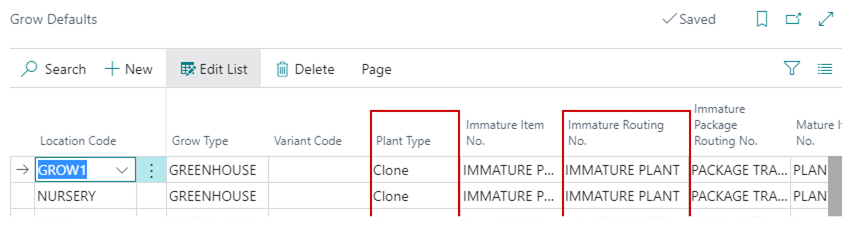
When a Phase Change is run for Immature Plants where the Run Function Code on the Cultivation Process Functions page is Immature Plant to Plant, the plants will be moved to the Plant stage and the next Phase. The next Phase is defined based on the Next Cultivation Process selected in the Routing for the Immature Plant Routing on the Grow Defaults page.
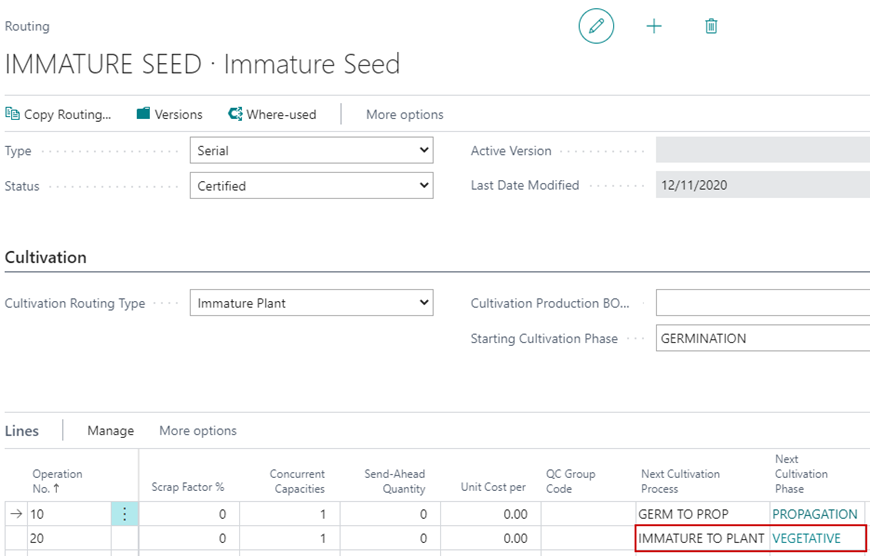
The next Phase is defined in the Cultivation Process Functions configuration and pulls in based on the Next Cultivation Process selected on the Routing. In this example, the Phase would be Movement from Propagation to Vegetative.
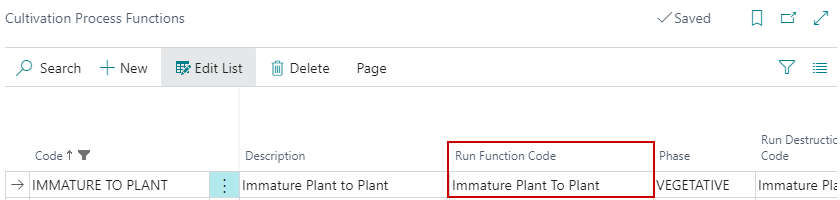
Once it changes to a Plant, the system will use the Mature Plant Routing specified on the Grow Defaults page to determine the next Phase.
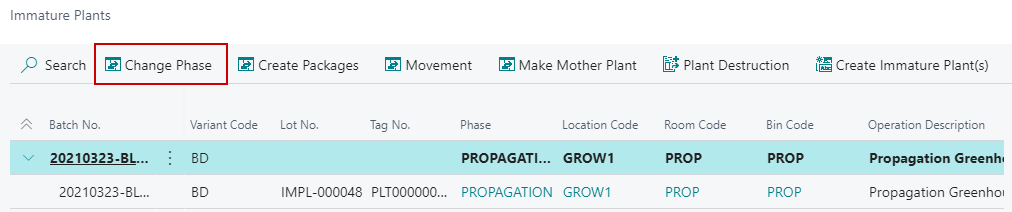
The Change Phase button on the Immature Plants List will change the Phase. When the Phase is changed, new Tags will need to be issued. The system will allow the end user to specify which Room** the new Plants will be moved to as well as the Tag Numbers for the Plants.
Users will receive a dialogue with the following fields when changing Phases from the Immature Plants page:
| FIELD NAME | FUNCTION |
|---|---|
| New Phase | Displays the new Phase the selected Immature Plants will be placed in. |
| New Location Code | Defaults the Location Code that was selected in the Immature Plant Batch Creation process. |
| NOTE: If the Location Code needs to change, then the Create Packages function must be used. | |
| New Room | Set the new Grow Room the Plants will be placed in. |
| New Bin Code | Set the new Bin the Plants will be placed in. |
| NOTE: This will autofill if only one Bin exists against the Grow Room. | |
| Starting Metrc Tag Type | The Tag Type, if used, to assign to the created Plants. |
| Starting Tag No. | The Starting Tag No. to be assigned to the Plants. |
| Operation Date | The Date the action was performed. |
| Posting Date | Autofill based on the Cannabis Cultivation Setup. |
| Plant Count to Move | The number of Plants to move to the next Phase. |
| Print Label | Select to print the Plant Label from Cultivation Report Selection on creation of the Plants. |
| Printer Selection | Select the printer setting to be used if Print Label is true. |
| • Choose Printer: prompt the user to select the printer after creation of the Plants. | |
| • Default Printer: uses the Default Printer Setup from Cultivation Report Selection that was assigned to the Plant Label. | |
| Total Available Plants | Displays the number of active Immature Plants that were selected for the Change Phase. |
| Total Plant Count to Move | Displays the number of Immature Plants to be moved from the Lines FastTab. |
