LeafLink Integration Setup
LeafLink Integration Setup Page
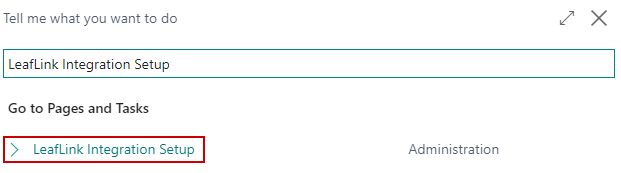
Click the magnifying glass and in the search box, type in LeafLink Integration Setup and select the related link.
The LeafLink Integration Setup Page will open:
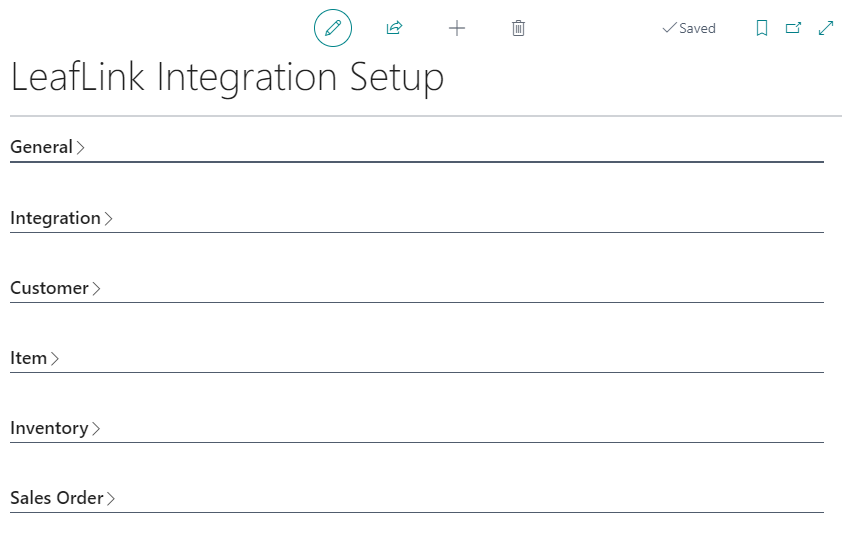
General FastTab
| FIELD NAME | FUNCTION |
|---|---|
| Active | Toggle this to turn on the integration with LeafLink. |
| Enable LeafLink Integration Log | Toggle this field to log calls made from Business Central to LeafLink. It is best practice to have this on. |

Integration FastTab
| FIELD NAME | FUNCTION |
|---|---|
| API URL | The LeafLink API URL.
|
| API Key | The user API key to use when transacting. It is recommended to configure an Integration User Account in LeafLink and use that API Key. |
| Company Id | The LeafLink Company ID which can be found under Settings/Developer Options in LeafLink |

Customer FastTab
| FIELD NAME | FUNCTION |
|---|---|
| Customer Template Code | The Customer Template to use when creating Customers in Business Central from LeafLink. |
| LeafLink Status to Create/Update Customer | The Customer Status in LeafLink that will trigger the creation of a Customer in Business Central. |
| Block Create/Update Customers from LeafLink | Blocks the automatic synchronization of Customers between LeafLink and Business Central. |
| Minimum Customer Download Date | The furthest back the integration should look when deciding what customers to create or synchronize. This is based on the last time the customer was modified in LeafLink. |

Item FastTab
| FIELD NAME | FUNCTION |
|---|---|
| Inventory Management | Select how inventory is managed in LeafLink:
|
| Product SKU Type | Select how to create products in LeafLink. A product in LeafLink is strain specific. Therefore, if variants are being used for strains the second option should be used.
Note: If an item does not have variants it will automatically be created as Item/License |
| Minimum Product Download Date | The furthest back the integration should look when deciding what items to create or synchronize. This is based on the last time the product was modified in LeafLink. |

Inventory FastTab
| FIELD NAME | FUNCTION |
|---|---|
| Link LeafLink Batch to | LeafLink tracks inventory as batches. This configuration determines what the LeafLink Batch will translate to in Business Central:
|
| Automation Codeunit | Codeunit 78618 "CBC-LL Inventory Automation" can be configured as a Job Queue to automate the creation of new batches in LeafLink and syncrhonize inventory. |

Sales Order FastTab
| FIELD NAME | FUNCTION |
|---|---|
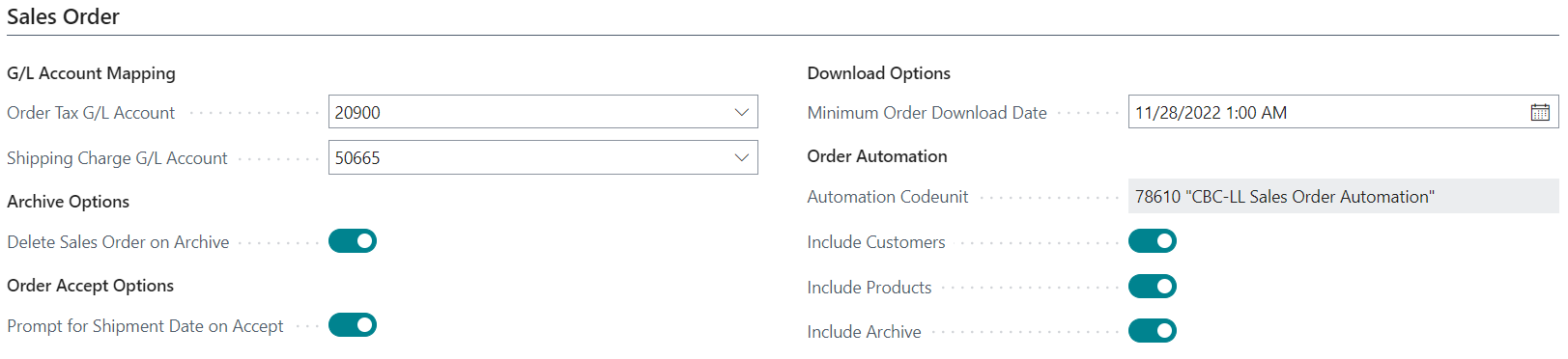
| Order Tax G/L Account | If there is tax on an order in LeafLink, the integration will bring the tax in as a line item on the Created Sales Order. Select the G/L Account for the tax line item in this field. |
| Shipping Charge G/L Account | If there is a shipping charge on an order in LeafLink, the integration will bring the charge in as a line item on the created Sales Order. Select the G/L Account for the shipping charge line item in this field. |
| Delete Sales Order on Archive | Toggling on will cause LeafLink Orders in Business Central to be deleted when they are rejected or combined in LeafLink. |
| Prompt for Shipment Date on Accept | Toggling on will cause a prompt to appear for the Shipment Date in Business Central when transitioning the Status of a LeafLink Order from "Submitted" to "Accepted." |
| Minimum Order Download Date | The furthest back the integration should look when deciding what orders to create or synchronize. This is based on the last time the order was modified in LeafLink. |
| Order Automation Codeunit | Codeunit 78610 "CBC-LL Sales Order Automation" can be configured as a Job Queue to automate the creation of new orders and synchronization of existing orders in Business Central from LeafLink. |
| Include Customers | If this field is toggled then when the job queue runs for Codeunit 78610 will create and synchronize customers in Business Central from LeafLink |
| Include Products | If this field is toggled then when the job queue runs for Codeunit 78610 will create and synchronize items in Business Central from LeafLink |
| Include Archive | If this field is toggled then when the job queue runs for Codeunit 78610 it will archive orders on the LeafLink Sales Order List that has been completed, rejected or combined. This is to keep the LeafLink Sales Order List populated with active orders. |