Track & Trace Location Card
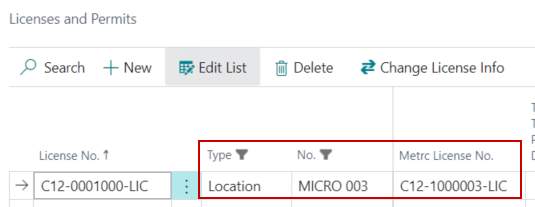
The Location Card should be configured to represent a License to keep Inventory separate between Licenses. The Metrc License should be tied to the Location on the License & Permits page:
Cannabis FastTab
The following fields relating to Track and Trace are on the Cannabis FastTab of the Location Card.
| FIELD NAME | FUNCTION |
|---|---|
| All Rooms are Synchronized with Track & Trace System | System field that shows if all Rooms are mapped to the State Track and Trace system. |
| Track & Trace Location | Toggle on to integrate this Location with the Track and Trace system. |
| Require Room(s) for Packages | Toggle on if the State requires Package Tags to be tracked at the Room level. |
| Auto Create SKUs | Toggle on to automate the creation of Track & Trace SKUs for this Location. |
| Create Outgoing Transfer Templates | Toggle on to create Manifest Templates in Metrc when shipments are posted. |

Location Functions
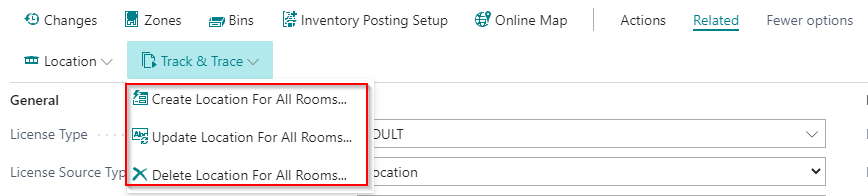
The following functions are available on the Location Card:
| FIELD NAME | FUNCTION |
|---|---|
| Create Location For All Rooms | Creates Rooms in Metrc based on the Rooms configured for the Location. If Rooms already exist in Metrc they can be downloaded and mapped from the Track & Trace Rooms page. |
| Update Location For All Rooms | Modifies the Room name in Metrc. |
| Delete Location For All Rooms | Deletes Rooms in Metrc. |
Room Types
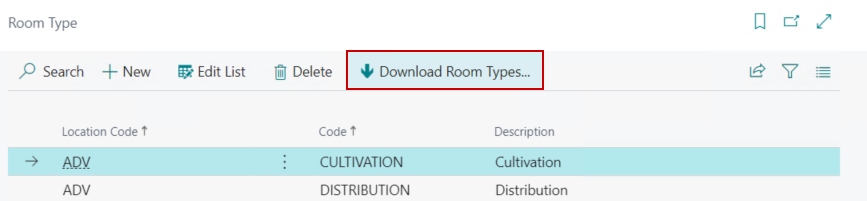
Metrc assigns types to Rooms. These can be downloaded from the Room Type page in Business Central:
Rooms
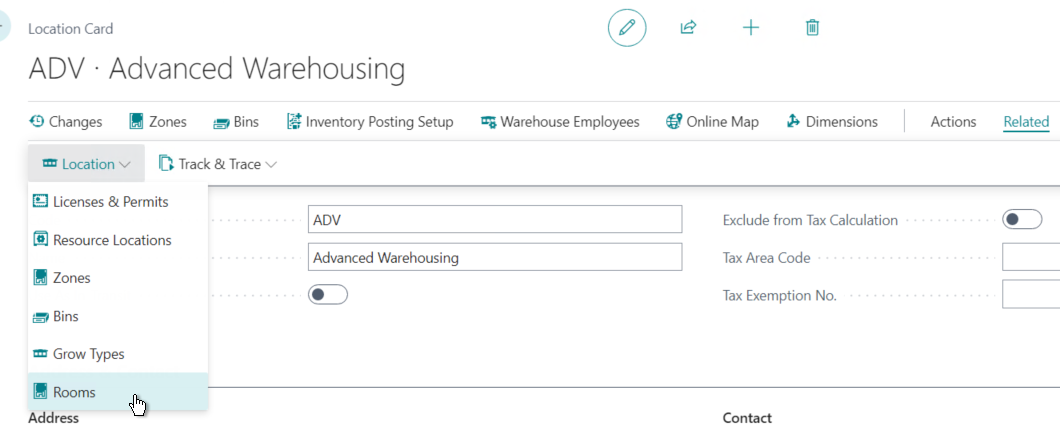
Rooms can be accessed from the Location Card by going to Related/Location/Rooms:
Room Types need to be selected on the Rooms page for the Metrc integration:
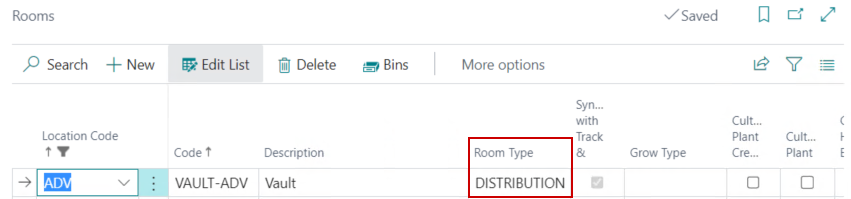
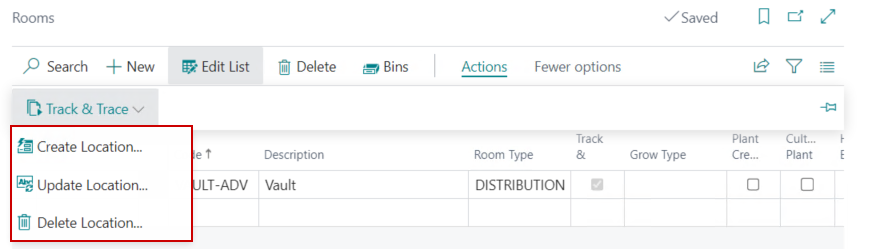
The following functions are available on the Rooms page:
| FIELD NAME | FUNCTION |
|---|---|
| Create Location | Creates the selected Room in Metrc. |
| Update Location | Modifies the Room name in Metrc. |
| Delete Location | Deletes the Room in Metrc. |
Track & Trace Rooms
Existing Rooms can be downloaded out of Metrc and mapped from the Track & Trace Rooms page.
