Metrc Lab Test Results
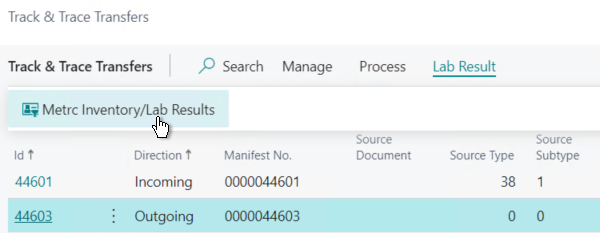
Metrc Lab Test Results are downloaded against Transfers and can be accessed from the Track & Trace Transfers List:
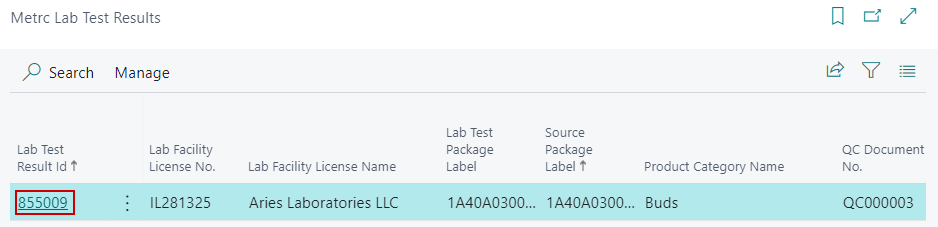
The detailed Lab Test Results can be viewed by opening the Metrc Lab Test Results record:
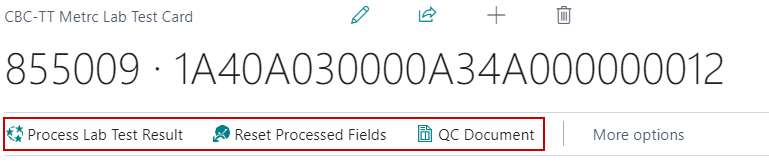
Metrc Lab Test Functions
| FIELD NAME | FUNCTION |
|---|---|
| Process Lab Test Result | Posts the QC Results against the QC Document where the Source Package Label is the Metrc Tag No. on the QC Document. |
| Reset Processed Fields | Resets the field that marks the QC Lab Results as processed in Business Central so they can be processed again in the event a new QC Document is created for the Source Tag. |
| Download/Update All Metrc Lab Results | Downloads all Lab Results from Metrc and posts them against QC Documents in Business Central regardless of the lab time they were downloaded. There is a job queue that automates the download and posting of Lab Results. |
| QC Documents | Opens the QC Document associated with the Lab Results. |