Track & Trace Products
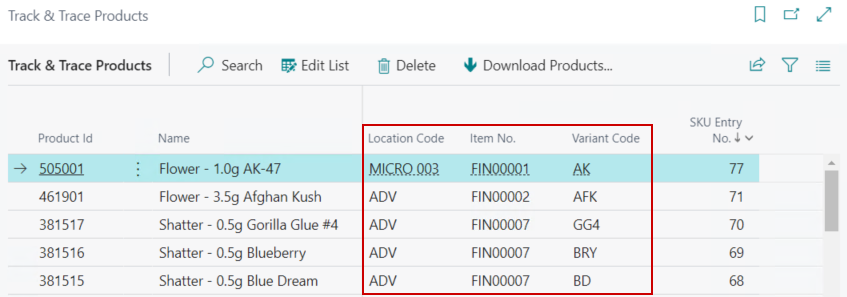
The Track and Trace Products page lists the Products that are configured in Metrc. These can be setup by Item/Location/Variant or Item/Location depending on the option selected on CBC Setup’s Track & Trace SKU Type field.
Track & Trace Products link to Track and Trace SKUs rather than directly to the Business Central Item. This is because the Track and Trace system creates its Product ID based on Product Type, Location, Strain, and License. Track & Trace Products can either be downloaded from the State Track and Trace system or created in the State Track and Trace system by running the Create Track & Trace Product function from the Item Card or Track & Trace SKUs page.
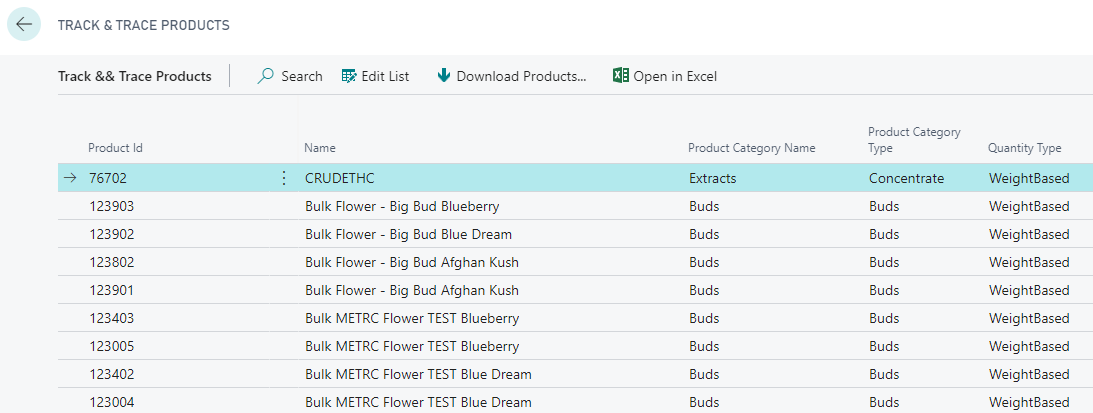
Track & Trace Products Functions
| FIELD NAME | FUNCTION |
|---|---|
| Download Products… | Downloads the Products currently configured in Metrc. This function does not automatically link Products to their Track & Track SKU in Business Central. |

The Download Products function does not automatically link the Strains from Metrc with the Location and Master Variant in Business Central. Edit List can be selected on the Action pane and the Location/Master Variant can be manually linked after the download completes: