Track & Trace Transfers
In Metrc, Manifests are tracked as Transfers. The Metrc API does not allow direct interaction with Manifests, however, the Manifest details can be downloaded and matched against documents and lab results can be downloaded and posted against QC Documents.
Track & Trace Transfers Functions
| FIELD NAME | FUNCTION |
|---|---|
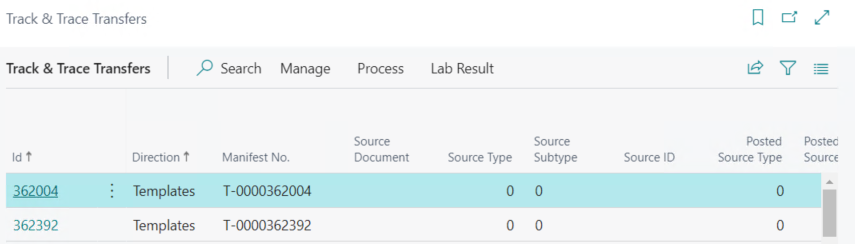
| Download Transfers… | Pulls the active Transfers into a list in Business Central. |
| Download New Metrc Lab Results | Downloads new lab results from Metrc and posts them against QC Documents in Business Central based on the last time they were downloaded. There is a job queue that automates the download and posting of lab results. |
| Download/Update All Metrc Lab Results | Downloads all lab results from Metrc and posts them against QC Documents in Business Central regardless of the lab time they were downloaded. There is a job queue that automates the download and posting of lab results. |
| Metrc/Inventory Lab Results | Opens the lab results attached to the Transfer. |

Lab Results not Found
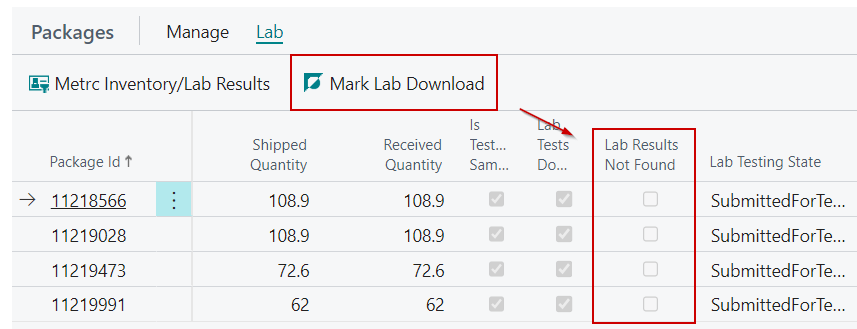
There is a scenario where a lab sample's source package cannot be found in the system. Metrc needs the license the source package is under in order to download a sample's test results. In order to reduce excess Metrc calls, the system will mark the packages as Lab Results not Found on the Track & Trace Transfer's Packages FastTab when the source package cannot be found.
There is a menu action called Mark Lab Download that will manually mark or unmark this field if the system should try to download lab results against this package again.